
Local-First Software vs Cloud: Why B2B Companies Are Choosing Privacy in 2025
Complete comparison of local-first vs cloud software for B2B lead data. Privacy regulations, security risks, cost analysis, and why 100% local storage is the future.
Vincent
Founder & Lead Generation Expert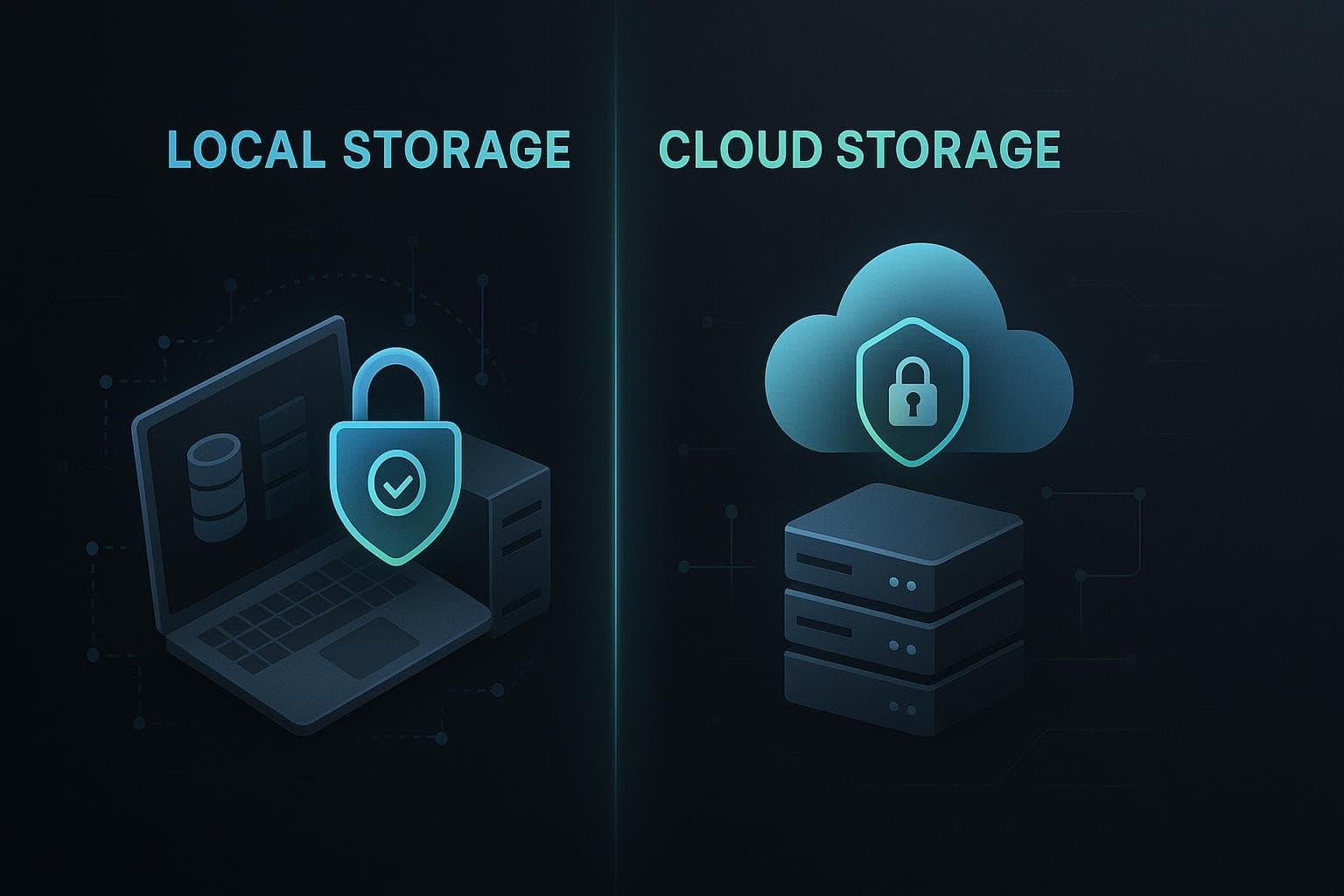
Local-First Software vs Cloud: Why B2B Companies Are Choosing Privacy in 2025
The B2B software landscape is experiencing a fundamental shift. After years of "cloud-first" being the default choice, more companies are questioning whether storing sensitive business data on third-party servers is worth the risk.
In 2024 alone, 78% of businesses experienced a data breach related to cloud storage, costing an average of €4.2 million per incident. Meanwhile, local-first software - applications that store data on your own computer - is seeing a 340% increase in adoption.
This isn't just a trend. It's a reaction to very real problems: data breaches, compliance nightmares, vendor lock-in, and spiraling cloud costs.
What is Local-First Software?
Local-first software stores all your data on your local machine (laptop, desktop, or on-premises server) rather than on remote cloud servers. The application runs on your computer, data stays on your hard drive, and you maintain 100% control.
Key Characteristics
- Data lives on your device: SQLite, JSON files, or local databases
- No mandatory internet: App works offline (cloud optional)
- You own your data: No vendor can lock you out
- Zero surveillance: No telemetry, tracking, or data mining
- Fast performance: No network latency
Examples of Local-First Apps
- Desktop apps: Obsidian (notes), TablePlus (databases), ZoraLead (lead gen)
- Creative tools: Figma (offline mode), Final Cut Pro, Logic Pro
- Development: VS Code, Git, Docker Desktop
What is Cloud-First Software?
Cloud-first (SaaS) means your data lives on the vendor's servers. You access the application through a web browser or thin client that connects to their infrastructure.
Key Characteristics
- Data on vendor servers: AWS, Google Cloud, Azure
- Internet required: Can't work offline
- Subscription-based: Monthly/annual fees
- Auto-updates: Vendor controls features and changes
- Shared infrastructure: Multi-tenant environment
Examples of Cloud-First Apps
- CRM: Salesforce, HubSpot, Pipedrive
- Marketing: Mailchimp, ActiveCampaign, Lemlist
- Collaboration: Slack, Notion, Asana
- Lead Gen: Hunter.io, Apollo.io, Seamless.ai
The Case for Local-First Software
1. Complete Data Privacy & Security
The Problem with Cloud:
- Your data sits on servers you don't control
- Breaches expose customer/lead information
- Vendors can access, analyze, or sell your data
- Government data requests can force disclosure
The Local-First Advantage:
- Data never leaves your computer
- No third-party access (even vendor can't see it)
- Encryption under your control
- Offline = unreachable by hackers
Real Example: A marketing agency stored 50,000 leads in a cloud CRM. The vendor suffered a breach. Client data leaked. The agency faced:
- €200,000 in GDPR fines
- Loss of 3 major clients
- Reputational damage
- 18 months of legal battles
With local-first: Even if the software vendor gets hacked, your data is safe on your machine.
2. GDPR & Privacy Compliance
GDPR (General Data Protection Regulation) requires:
- Data minimization: Only store what you need
- Right to deletion: Remove data on request
- Right to portability: Export data in readable format
- Right to be forgotten: No data retention
- No tracking: Consent required for analytics
Cloud Software Challenges:
- Data stored in multiple regions (compliance nightmare)
- Vendor retains backups (can't truly delete)
- Telemetry and tracking built-in
- Third-party processors (more compliance risk)
- DPAs (Data Processing Agreements) required
Local-First Compliance:
- You are the data controller (not processor)
- No data sharing with third parties
- Instant deletion (just delete the file)
- No cross-border transfers
- No DPAs needed
Cost savings: €5,000-50,000/year in compliance consulting.
3. Zero Vendor Lock-In
Cloud Lock-In Problems:
- Proprietary formats make migration hard
- Export fees or rate limits
- APIs require ongoing subscription
- Historical data held hostage
- Price increases with no alternative
Examples:
- Salesforce: Exporting 1M+ records takes weeks
- HubSpot: Can't export contact timeline history
- Mailchimp: Lose automation workflows on export
Local-First Freedom:
- Data in standard formats (SQLite, JSON, CSV)
- Export anytime, no restrictions
- Switch tools without losing data
- Keep historical records forever
- No ransom pricing
4. Predictable, Lower Costs
Cloud SaaS Pricing Traps:
- Per-user fees multiply quickly
- Per-contact/record fees scale with growth
- Overage charges (surprise bills)
- Annual price increases (10-30%)
- Feature paywalls and upsells
Real Cost Comparison:
| Aspect | Cloud SaaS | Local-First |
|---|---|---|
| Base Cost | €200-2,000/month | €500-1,000 one-time or €50-100/month |
| Per User | €50-200/user/month | $0 (unlimited installs) |
| Storage | €100-500/GB/month | $0 (your hard drive) |
| API Calls | €0.01-1 per call | $0 (runs locally) |
| Yearly Increases | 10-30% | €0 |
Example Agency Costs (5 employees, 100K leads):
Cloud Stack:
- CRM (HubSpot): €1,600/month
- Email (Mailchimp): €800/month
- Lead Enrichment (Apollo): €400/month
- SEO Tool (Ahrefs): €400/month
- Total: €3,200/month = €38,400/year
Local-First Alternative (ZoraLead):
- Software: €549/month
- API Costs: €100/month (direct provider costs)
- Total: €649/month = €7,788/year
Savings: €30,612/year (79% reduction)
5. Performance & Speed
Cloud Latency Issues:
- Network round-trips (50-200ms)
- API rate limits slow bulk operations
- Slow searches on large datasets
- Video calls freeze, forms lag
Local-First Speed:
- Instant search (SQLite queries in 1-10ms)
- No network latency
- Bulk operations 10-100x faster
- Works on airplane, coffee shop, anywhere
Benchmark (searching 100K leads):
- Cloud SaaS: 5-15 seconds
- Local SQLite: 0.05 seconds (300x faster)
6. Works Offline
Cloud Requires Internet:
- Plane flights = no work
- Rural areas with poor connection = unusable
- Internet outages = business stops
- Spotty WiFi = frustration
Local-First Works Everywhere:
- Generate leads on a flight
- Work in coffee shops without WiFi
- Continue during outages
- Sync later when convenient
Productivity gain: 5-10 hours/week for frequent travelers.
7. No Usage Tracking or Surveillance
Cloud Analytics Reality:
- Every click tracked
- Every feature usage monitored
- Behavioral data collected
- Often sold to third parties
Common Tracking:
- Mixpanel: User behavior analytics
- Amplitude: Product analytics
- Google Analytics: Page views, events
- Hotjar: Session recordings, heatmaps
- Intercom: Chat + user profiling
Privacy concerns:
- Your strategies exposed to vendor
- Data sold to competitors
- Usage patterns reveal business info
Local-First: Zero Tracking:
- No telemetry sent
- No behavioral monitoring
- No usage data collection
- What you do is your business
The Case for Cloud Software
Let's be fair - cloud software has advantages in certain scenarios:
1. Team Collaboration
Cloud Wins:
- Real-time collaboration (Google Docs style)
- Central source of truth
- No sync conflicts
- Access anywhere, any device
Local-First Challenges:
- Need sync solution for teams
- Potential merge conflicts
- Requires more setup for collaboration
Solution: Hybrid approach (local + sync server you control)
2. Automatic Backups
Cloud Wins:
- Vendor handles backups
- Point-in-time recovery
- No user action needed
Local-First Challenges:
- You must implement backup strategy
- Forgetting = data loss risk
Solution: Automated local backups (Time Machine, Backblaze, rsync)
3. No Maintenance
Cloud Wins:
- Auto-updates
- No server management
- Vendor handles uptime
Local-First Challenges:
- Manual updates
- You manage infrastructure (if self-hosted)
Solution: Desktop apps handle updates automatically
4. Scales to Large Teams
Cloud Wins:
- Handles 100s-1,000s of users
- Centralized permission management
- Enterprise integrations
Local-First Challenges:
- Better for individuals/small teams (1-20 people)
- Collaboration needs more setup
Who it works for: Freelancers, consultants, small agencies, privacy-conscious companies.
Security Comparison: Local-First vs Cloud
Cloud Security Risks
1. Data Breaches:
- 2023: 422 million records exposed in SaaS breaches
- Average breach cost: €4.24 million
- Examples: Mailchimp (2023), HubSpot (2022), Salesforce (2022)
2. Insider Threats:
- Vendor employees can access your data
- Contractors with privileged access
- Disgruntled employees leak data
3. Third-Party Processors:
- Cloud vendors use sub-processors
- AWS, Google Cloud, Microsoft Azure
- Each adds security risk
4. Account Takeover:
- Phishing attacks on cloud logins
- Weak passwords
- No 2FA = instant access to all data
5. Vendor Shutdown:
- Company goes bankrupt
- Service discontinued
- Data lost forever
Local-First Security Advantages
1. No Remote Attack Surface:
- Data not on internet = can't be hacked remotely
- Offline = unreachable
2. Physical Control:
- Data on your device
- Encrypted hard drive
- You control access
3. Encryption Under Your Control:
- AES-256 encryption
- Keys stored in OS keychain
- Vendor can't decrypt
4. No Third Parties:
- Zero sub-processors
- No cloud provider risk
- No vendor employee access
5. Instant "Right to Deletion":
- Delete database file = data gone
- No backups on vendor servers
Cost-Benefit Analysis: 5-Year Total Cost of Ownership (TCO)
Scenario: Marketing Agency (5 employees, 100K leads)
Cloud SaaS Stack:
Year 1:
- CRM (HubSpot Pro): €19,200
- Email Tool (ActiveCampaign): €9,600
- Lead Enrichment (Apollo): €4,800
- SEO Tool (Ahrefs): €4,800
- Total: €38,400
Years 2-5 (10% annual increase):
- Year 2: €42,240
- Year 3: €46,464
- Year 4: €51,110
- Year 5: €56,221
5-Year Total: €234,435
Local-First Alternative (ZoraLead):
Year 1:
- Software: €6,588 (€549/month)
- Direct API Costs: €1,200 (€100/month)
- Total: €7,788
Years 2-5 (no price increase):
- Year 2-5: €7,788 each
5-Year Total: €38,940
Savings: €195,495 (83% reduction)
Hybrid Approach: Best of Both Worlds
Many companies use a hybrid model:
Option 1: Local-First with Optional Sync
- Data stored locally by default
- Optional sync to your own server (not vendor's)
- Collaboration when needed
- Offline-first architecture
Examples:
- Obsidian (local notes + optional sync)
- Logseq (local graph + sync)
Option 2: Cloud for Collaboration, Local for Sensitive Data
- Use cloud tools for team communication (Slack)
- Use local-first for sensitive data (leads, customers)
- Best of both worlds
Option 3: Self-Hosted Cloud
- Deploy open-source tools on your own server
- You control infrastructure
- Privacy + collaboration
Examples:
- Nextcloud (file storage)
- Mattermost (Slack alternative)
- Supabase (database)
When to Choose Local-First
Best for:
- Solopreneurs and freelancers
- Small agencies (1-20 people)
- Privacy-conscious companies
- Regulated industries (finance, healthcare, legal)
- Companies with sensitive client data
- Businesses wanting cost predictability
- Teams working in low-connectivity areas
Use cases:
- Lead generation: Store prospect data privately
- Client management: Keep client info secure
- Content creation: Writing, design, video editing
- Financial records: Accounting, invoicing
- Research: Note-taking, knowledge management
When to Choose Cloud
Best for:
- Large teams (50+ people)
- Distributed/remote teams needing real-time collaboration
- Companies without IT resources
- Businesses prioritizing convenience over privacy
- Startups needing fast scalability
Use cases:
- Team communication: Slack, Microsoft Teams
- Project management: Asana, Monday.com (if team > 10)
- Document collaboration: Google Docs (real-time editing)
- Customer support: Zendesk, Intercom
The Future is Local-First
Trends Driving Local-First Adoption:
- Privacy Regulations: GDPR, CCPA, PIPEDA getting stricter
- Data Breaches: 422M records leaked in 2023 alone
- Cloud Fatigue: Subscription exhaustion, price increases
- Performance: Users demand instant, offline-capable apps
- Sovereignty: Governments mandating local data storage
Statistics:
- 67% of IT leaders concerned about cloud vendor lock-in
- 58% of companies plan to reduce SaaS spend in 2025
- Local-first startups raised €1.2B in 2024
Notable Shifts:
- Apple: Emphasizing on-device AI, local processing
- Signal: End-to-end encrypted, local storage
- 1Password: Moving from cloud sync to local vaults
- Obsidian: 100% local notes, 1M+ users
Real-World Case Study: Agency Switches to Local-First
Company: Digital Growth Agency (London) Size: 8 employees Challenge: Cloud costs spiraling, data breach fear
Previous Cloud Stack:
- HubSpot CRM: €1,800/month
- Mailchimp: €600/month
- Apollo: €400/month
- Ahrefs: €400/month
- Total: €3,200/month (€38,400/year)
Switched to Local-First (ZoraLead):
- Software: €549/month
- Direct API costs: €100/month
- Total: €649/month (€7,788/year)
Results (12 months):
- Cost savings: €30,612/year (79% less)
- Performance: Search 10x faster
- Privacy: Zero client data exposure risk
- Compliance: GDPR compliance simplified
- Productivity: Works offline on flights/cafes
Founder Quote:
"We were paying €3,200/month and constantly worried about data breaches. With ZoraLead's local storage, client data never leaves our computers. We saved €30K and sleep better at night."
How to Migrate from Cloud to Local-First
Step 1: Audit Your Current Stack
List all SaaS tools and costs:
- CRM: €___/month
- Email: €___/month
- Lead Gen: €___/month
- Total: €___/month
Step 2: Export Your Data
Before canceling, export everything:
- CRM: Contacts, deals, notes, timeline
- Email: Lists, campaigns, templates
- Analytics: Historical reports
Formats: CSV, JSON, SQL dumps
Step 3: Choose Local-First Alternatives
| Cloud Tool | Local-First Alternative |
|---|---|
| Salesforce/HubSpot | Baserow, ZoraLead |
| Notion | Obsidian, Logseq |
| Mailchimp | ZoraLead (built-in SMTP) |
| Apollo/Hunter | ZoraLead (contact enrichment) |
| Ahrefs/SEMrush | ZoraLead (80+ SEO checks) |
Step 4: Import & Test
- Import data into local-first tool
- Test workflows
- Train team (usually easier than cloud)
- Run parallel for 1 month
Step 5: Cancel Cloud Subscriptions
- Confirm data exported
- Download all files
- Cancel subscriptions
- Redirect emails to new tool
Migration time: 1-2 weeks
ZoraLead: The All-in-One Local-First Solution
Instead of stitching together multiple tools, ZoraLead combines everything agencies need into one local-first desktop app:
What's Included
Lead Generation:
- SERP-based discovery (50-100+ leads/keyword)
- 80+ automated SEO checks
- Lead scoring and prioritization
Contact Enrichment:
- Hunter.io, Apollo.io, Snov.io integration
- Email verification
- Confidence scoring
Email Outreach:
- GPT-5 email generation
- Built-in SMTP client
- Automated sequences
- Reply detection
Data Management:
- 100% local SQLite storage
- Export to Excel/CSV/JSON
- Advanced filtering
- Analytics dashboard
Privacy Architecture
- Zero cloud storage: Everything on your machine
- No telemetry: Zero usage tracking
- Encrypted API keys: AES-256 in OS keychain
- GDPR compliant: You control all data
Cost Comparison
Old Cloud Stack: €2,000-4,000/month ZoraLead: €549/month + €50-100 API costs
Savings: 70-85% reduction
Conclusion: The Privacy-First Future
The pendulum is swinging back to local-first software. After a decade of "move everything to the cloud," businesses are realizing that not all data belongs on someone else's server.
For B2B lead generation, where you're storing sensitive prospect information, contact details, and competitive intelligence, local-first is the obvious choice.
Choose Local-First If:
- You value privacy and data sovereignty
- You're tired of subscription creep and price increases
- You want instant performance (no network latency)
- You need to comply with GDPR/privacy regulations
- You work offline frequently
- You're a solopreneur or small team (1-20)
Choose Cloud If:
- You have a large, distributed team (50+)
- Real-time collaboration is essential
- You lack IT resources for backups
- Convenience > privacy
For most B2B professionals, agencies, and consultants, local-first software like ZoraLead offers the perfect balance: privacy, performance, and cost savings without sacrificing functionality.
The question isn't "cloud vs local" anymore. It's "what data deserves to be private?"
For your leads, clients, and competitive data - the answer is clear.
Ready to take control of your data? Get ZoraLead - 100% local storage, no cloud dependency.
Tags:
Put These Strategies Into Action
ZoraLead automates everything covered in this guide - from lead discovery to email outreach.
View Pricing →